
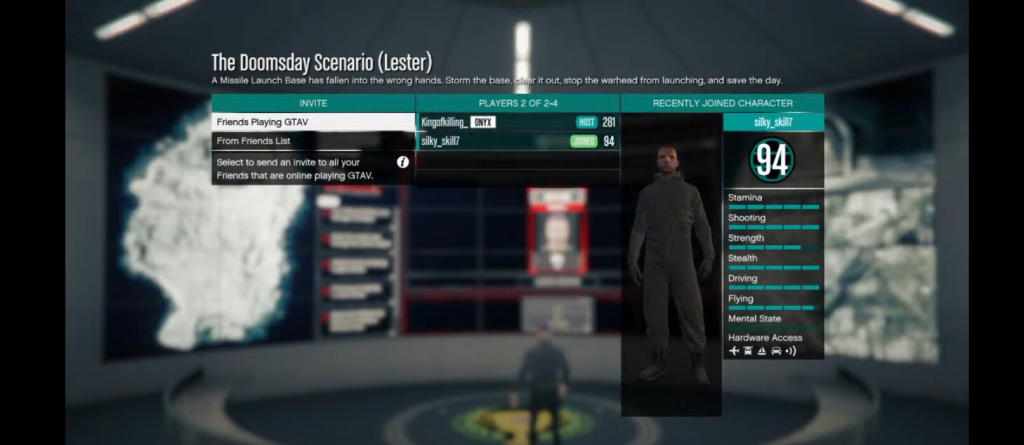
RageNativeUI is an essential tool for GTA V developers looking to create professional, user-friendly, and interactive in-game menus. These menus are widely used in various mods, especially for plugins related to LSPDFR and other roleplay enhancements. RageNativeUI simplifies the process of creating structured, dynamic, and visually consistent interfaces within GTA V.
Understanding the core principles behind building custom and dynamic menus using RageNativeUI. Whether you are creating static configuration menus or dynamic, reactive systems that adapt to in-game events, this tutorial breaks down everything you need. From understanding the fundamental structure to handling advanced use cases, you will gain clarity on how to deliver polished, user-friendly interfaces for your GTA V plugin projects. By following this approach, you ensure that your plugins maintain professionalism, improve usability, and elevate the player experience.
Prerequisites
Required Tools and Libraries
To build effective menus using RageNativeUI, you will need three key components:
- RagePluginHook: This allows your custom plugins to run within GTA V and provides access to game functions.
- RageNativeUI: This is the specific UI library used for creating menus. It works seamlessly with RagePluginHook.
- Visual Studio: A popular Integrated Development Environment (IDE) for writing and managing C# projects, which is the primary language for GTA V plugins.
These tools form the foundation upon which you will build your menus.
Basic Setup of a GTA V Plugin Project
A standard GTA V plugin project requires you to set up a class library within Visual Studio, ensuring it references both RagePluginHook and RageNativeUI libraries. This establishes the necessary environment for your menus to interact with the game. Organizing your project cleanly from the start will make it easier to manage menu structures later. This includes creating separate folders or classes for menu logic, gameplay logic, and any utility functions.
Menu Structure Basics
UIMenu
The UIMenu is the core element of any RageNativeUI-based system. It serves as the container for all your menu options. A UIMenu typically includes a title, a subtitle, and a list of items that the user can interact with.
MenuPool
A MenuPool is responsible for managing multiple menus at once. It ensures that all active menus are updated correctly and that only one menu is active or highlighted at a time. The MenuPool simplifies handling the open and close states of menus and submenus.
Menu Items
There are three primary types of items you can use to build a user-friendly menu:
- UIMenuItem: A basic clickable item for triggering actions.
- UIMenuCheckboxItem: An item for toggling features on or off.
- UIMenuListItem: A list item for selecting from multiple options, similar to a dropdown.
Understanding these components allows you to design flexible menus for any purpose.
Creating a Static Menu
Simple Example with Static Options
A static menu consists of options that are defined once during initialization and remain the same unless manually changed later. This is ideal for setting preferences, enabling features, or providing fixed game options to the player.
Static menus typically contain clearly labeled categories and choices that do not depend on game data. These are straightforward and ideal for beginner projects where consistency and simplicity are the focus.
Basic Event Handling for Item Selection
Static menus rely on direct user interactions. When a player selects an option, the menu triggers a specific action or displays a notification. Each item is associated with an outcome, making static menus predictable and easy to control.
Building Dynamic Menus
Generating Menu Items at Runtime
Dynamic menus differ from static ones because they change based on gameplay conditions. Items can be generated during the game, reflecting real-time information such as available vehicles, NPC interactions, or player stats.
This dynamic nature makes your plugin feel responsive and alive, adapting to different scenarios the player may encounter.
Adding, Removing, or Updating Menu Items Dynamically
Menus can evolve as the player progresses. Items can be added, removed, or updated in response to user actions or changes in the game world. For example, a vehicle list can update when the player changes locations or spawns new vehicles.
This flexibility enhances immersion and makes the plugin appear well-integrated into the gameplay.
Creating Submenus Dynamically
Submenus provide a structured way to organize related options under broader categories. Dynamic submenus ensure that users are only presented with relevant choices, streamlining navigation and improving usability.
Handling Menu Events
Item Selection Events
Every menu item can trigger specific in-game responses. Whether it’s spawning an object, changing a player state, or updating a setting, selecting an item should always produce clear feedback for the user.
Checkbox State Changes
Checkboxes provide toggle functionality. This is ideal for enabling or disabling features without leaving the menu. Players appreciate this immediate control over settings like map markers, indicators, or gameplay aids.
List Item Selection Changes
Lists allow players to scroll through multiple options. This is useful for selecting vehicle models, choosing skins, or configuring loadouts. They provide flexibility and prevent menus from becoming cluttered with too many individual items.
Advanced Dynamic Scenarios
Menus Reacting to Game State
Advanced menus react to the environment. For example, if a player enters a specific area or vehicle, the menu might offer new options related to that context. This responsiveness enhances realism and ensures menus stay relevant to the player’s current actions.
Dynamic Updates While Menu is Open
Menus can refresh in real-time while remaining open, providing updates based on player activity or external triggers. This keeps the information current without forcing the player to reopen the menu constantly.
Dynamic updates are crucial for features like live mission briefings, updating objectives, or reflecting the player’s progress.
Best Practices
Organizing Code for Maintainability
Well-structured code ensures your menu system remains scalable and easy to update. Separate your menu logic from gameplay functions. Use descriptive naming for your menus and items to maintain clarity as your project grows.
Keeping UI Responsive
A responsive UI enhances the user experience. Avoid complex or slow operations within menu updates. Ensure that all menus react instantly to inputs, maintaining smooth performance and avoiding lag during gameplay.
Clean Handling of Submenu Hierarchies
Clear hierarchies prevent confusion. Group related options logically, and avoid deep nesting unless necessary. This makes navigation intuitive and reduces the cognitive load on the user, especially when menus are complex or feature-rich.
Common Mistakes to Avoid
Mismanaging MenuPool Updates
One of the most common mistakes is forgetting to keep the MenuPool updated. Without regular updates, menus may fail to display or respond, breaking the user experience. Ensure that your menu pool is consistently maintained throughout your plugin’s lifecycle.
Not Disposing of Menus Properly
Failing to properly dispose of menus can lead to memory leaks and performance issues. Always clear unused menus from your MenuPool to keep your plugin efficient and stable.
Overcomplicating Simple Structures
Avoid making your menus unnecessarily complex. Focus on clarity and functionality. Too many layers or redundant options can frustrate users and complicate maintenance.
Conclusion
RageNativeUI allows you to create responsive, dynamic, and professional menus for GTA V mods. By understanding core principles like menu structure, dynamic content generation, and event handling, you can deliver user interfaces that enhance gameplay and usability. Following best practices ensures your plugins remain efficient, clean, and easy to expand. RageNativeUI remains a vital tool for any serious GTA V developer looking to elevate their project’s quality and interactivity.