
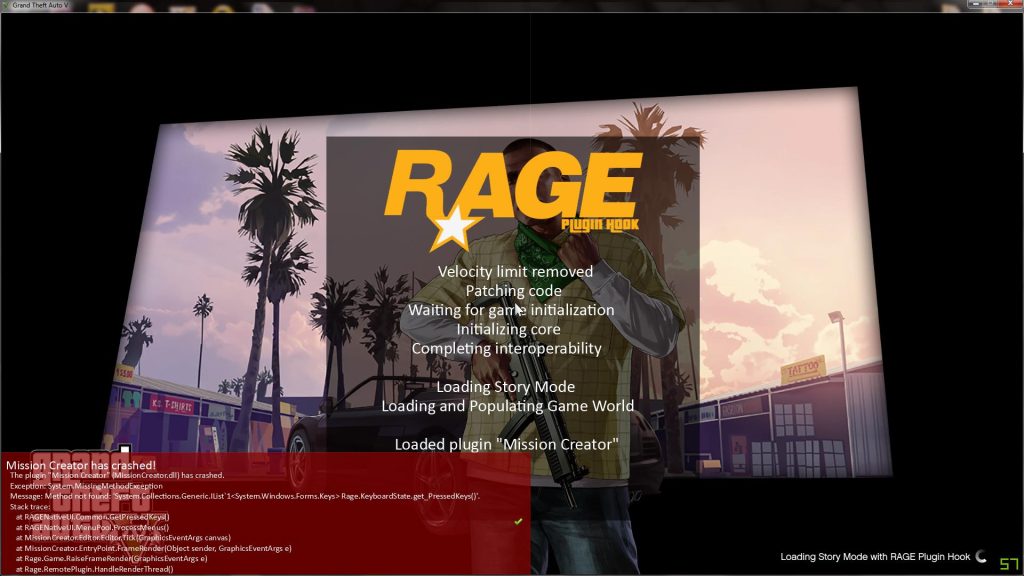
Modding communities have played a crucial role in extending the lifespan of video games, and Grand Theft Auto V (GTA V) is no exception. From single-player enhancement mods to expansive multiplayer roleplay servers, developers constantly push the boundaries of what is possible within Rockstar’s open-world sandbox. A key component of enhancing user interaction in these mods is a reliable and flexible user interface (UI) system. This is where RageNativeUI becomes an essential tool.
RageNativeUI is widely recognized within the GTA V modding community for its efficiency, ease of use, and seamless integration with the game’s existing visual style. It helps modders and developers create intuitive and professional-looking menus that enhance the in-game experience for both players and administrators. Whether for simple setting toggles, detailed configuration menus, or complex interactive systems, RageNativeUI provides everything needed to build these interfaces quickly and effectively.
The Origin of RageNativeUI
RageNativeUI was created by the modding community to fill the gap for developers looking for a standardized, flexible, and easy-to-use menu system. It was built to be open-source so it could evolve with contributions from various developers and adapt alongside the GTA V modding scene. Over time, it became one of the most trusted and widely adopted UI solutions for GTA V, FiveM, and RAGEPluginHook projects.
Compatibility and Usage Platforms
RageNativeUI is designed for compatibility with popular modding platforms, including:
- FiveM: A widely used platform for custom multiplayer servers, especially roleplay servers.
- RAGEPluginHook (RPH): Focused on enhancing single-player experiences, commonly used in law enforcement roleplay mods like LSPDFR.
- Standalone GTA V Single-Player Mods: Ideal for any script that requires an in-game menu interface.
Core Features of RageNativeUI
Comprehensive UI Components
RageNativeUI offers an extensive set of UI components that allow developers to build flexible and interactive menus tailored to various needs:
Menu Pools
Menu pools help manage multiple menus simultaneously. This is especially useful for complex mods where various menus may be shown or hidden dynamically.
Submenus
Nested submenus can be created to organize options into logical groups, providing a better user experience for accessing features without overwhelming the player with information.
UI Elements Supported
- Checkboxes: Toggle on/off settings.
- Sliders: Adjust numerical values like volume or brightness.
- List Items: Allow users to cycle through multiple options.
- Badges: Visual icons indicating item status or function.
- Instructional Buttons: On-screen guidance for player inputs.
Input Flexibility
RageNativeUI supports both keyboard and controller input out-of-the-box. Players can navigate menus seamlessly using familiar controls, enhancing accessibility.
Smooth Integration with GTA V’s Native Look
The visual design of menus built with RageNativeUI closely mirrors the style used by Rockstar themselves. This ensures consistency with the game’s aesthetics and maintains player immersion.
Why is RageNativeUI So Popular Among Developers?
Ease of Integration for Developers
RageNativeUI is straightforward to integrate into existing projects. Developers simply reference the RageNativeUI.dll file and begin constructing menus with clear, object-oriented code structures.
Robust Documentation and Community Support
Though originally a community project, RageNativeUI is backed by a wide range of tutorials, documentation, and examples. Resources are available through forums like GTAForums, FiveM forums, GitHub, and YouTube.
Actively Maintained and Updated
Thanks to its open-source nature and active developer community, RageNativeUI remains compatible with current versions of GTA V and major modding platforms. Updates continue to ensure stability and introduce new features over time.
Consistency with GTA V’s User Experience
RageNativeUI’s adherence to Rockstar’s UI style makes it perfect for mods aiming to blend naturally with the base game. It avoids jarring transitions between custom and native menus.
Time-Saving for Developers
By using RageNativeUI, developers save hours of development time. It eliminates the need to build UI systems from scratch and reduces the complexity of handling menu navigation and input detection.
Common Use Cases for RageNativeUI
FiveM Roleplay Servers
On FiveM, RageNativeUI is a cornerstone for building administrative, player, and developer tools.
Examples include:
- Admin Menus: Manage players, teleport, kick, ban, or adjust server settings in real-time.
- Job Menus: Access role-specific actions for police, EMS, mechanics, etc.
- Inventory Systems: Organize and manage in-game items interactively.
Police Mods (RAGEPluginHook)
For single-player police mods like LSPDFR, RageNativeUI helps create immersive interaction menus:
- Interact with civilians, issue tickets, or request backup.
- Access police computer systems within the game.
- Manage vehicle inspections or inventory checks.
Scripted Missions
Modders creating custom missions leverage RageNativeUI to provide:
- Mission objectives and progress menus.
- Dynamic dialogues with branching choices.
- Settings menus for adjusting mission parameters on the fly.
Trainer Menus
Trainer mods empower players with cheat-like functionality, and RageNativeUI is often used to present these options:
- Spawn vehicles or NPCs.
- Toggle weather, time of day, or gravity.
- Customize character appearance and abilities.
How Developers Work with RageNativeUI
Basic Setup and Integration Steps
- Reference the DLL: Include RageNativeUI.dll in your Visual Studio project.
- Initialize Menu Pool: Use a MenuPool object to manage all menus effectively.
- Create Menus: Build menus with titles, subtitles, and add menu items such as checkboxes, sliders, and lists.
- Render Loop: Ensure your menu pool’s ProcessMenus() function runs during your game loop to handle input and updates.
Extending Menus with Custom Functions
Developers often integrate RageNativeUI with broader scripts to allow:
- Dynamic updating of menu content.
- Linking menu selections to gameplay events.
- Combining menus with database-driven features (e.g., inventories, stats).
Limitations and Considerations When Using RageNativeUI
Customization Constraints
RageNativeUI menus are visually tied to GTA V’s native UI style, limiting customization in areas such as:
- Fonts
- Colors
- Advanced graphical styling (animations, images)
- Focused on Menus, Not Full GUIs
RageNativeUI excels in menu creation but isn’t suitable for:
- Heads-Up Displays (HUDs)
- Complex graphical user interfaces (GUIs)
- Overlays with dynamic visual data like health bars or maps
- Requires Programming Knowledge
Typically, RageNativeUI is used within C# environments. Developers should have familiarity with:
- Object-oriented programming principles
- Event-driven programming
- Basic knowledge of game loops and script management in GTA V
Advanced Tips for Developers Using RageNativeUI
Optimize Menu Structures
- Keep your menu trees logical and organized.
- Avoid over-nesting which can confuse players.
- Use separators and descriptive headers for clarity.
Combine with Other Libraries
RageNativeUI can be combined with:
- NativeUI extensions for expanded features.
- Server-side frameworks (FiveM) to sync UI with backend logic.
- Custom data structures (JSON, XML) for dynamic menu generation.
Testing and Debugging Best Practices
- Use debug logs to confirm menu selections trigger correctly.
- Regularly test with both keyboard and controller inputs.
- Validate menus don’t conflict with Rockstar’s existing interfaces.
Conclusion
RageNativeUI is an essential asset for anyone developing mods for GTA V. Whether building complex roleplay systems, police mods, or simple quality-of-life tools, it offers a reliable, easy-to-use, and visually consistent solution for in-game menus. Its compatibility with platforms like FiveM and RAGEPluginHook makes it a trusted choice across the entire GTA V modding ecosystem.